Local control plane for Git worktrees

Worktree Control

One dev port per project. Shared context for you and your coding agents.

Switch a development server between Git worktrees without changing its port. Queue builds and tests, see which code they checked, and keep the tasks, discussions and decisions that the next session will need.

  • Runs on your machine
  • Browser dashboard, CLI and MCP server
  • Node.js and Django projects
  • SQLite state, no hosted account
  • MIT licensed
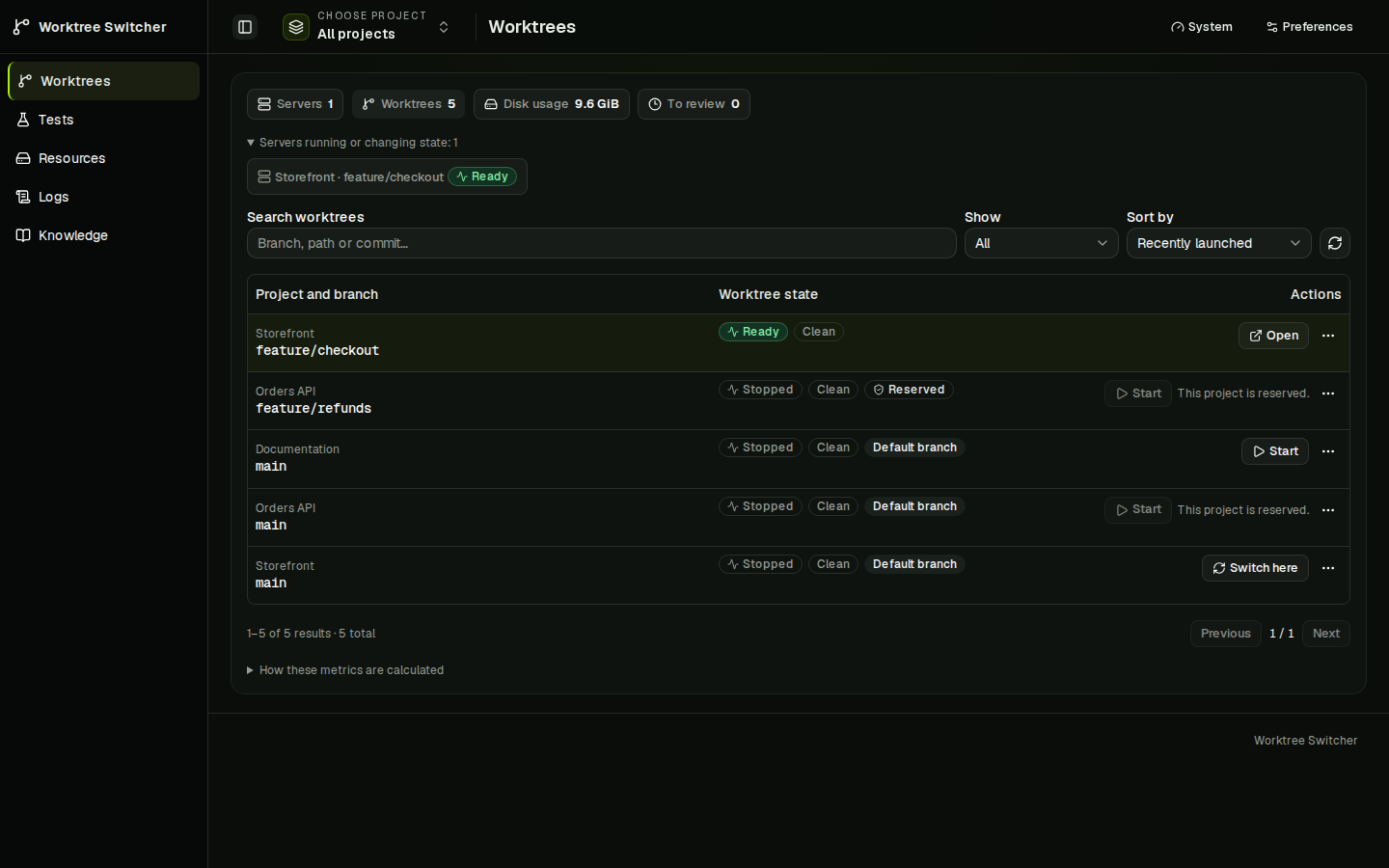
Worktrees dashboard listing example projects Storefront, Orders API and Documentation with their branches. Storefront feature/checkout is ready; other worktrees are stopped, one project is reserved, and each row offers Start, Open or Switch here.
Worktrees dashboard with fictional demo data. Screenshots were captured before the 2026-10-05 rename from Worktree Switcher.

What it does

Three things that set it apart from running servers by hand.

One managed server and stable port per project

Your frontend can run feature/checkout on port 3000 while the API stays on main at port 4000. Switching one project leaves the others alone.

  • Pin a worktree with a human lock while you use it.
  • An agent claims a project, starts or switches its server, and releases the claim when it finishes. Release leaves the server running.
  • Claims expire and belong to the MCP session that created them; an agent cannot force-release someone else's reservation.
  • The controller stops only process trees it owns, never an unknown process on an occupied port.

Humans and agents must use the controller for ownership rules to apply; it cannot prevent an unrelated terminal from starting another process.
A finite test queue with revision-bound evidence

Run a discovered test, lint, typecheck or build preset against a specific worktree. A shared queue limits concurrent checks and allows at most one active run per worktree. Submitting a test does not move or reserve the dev server.

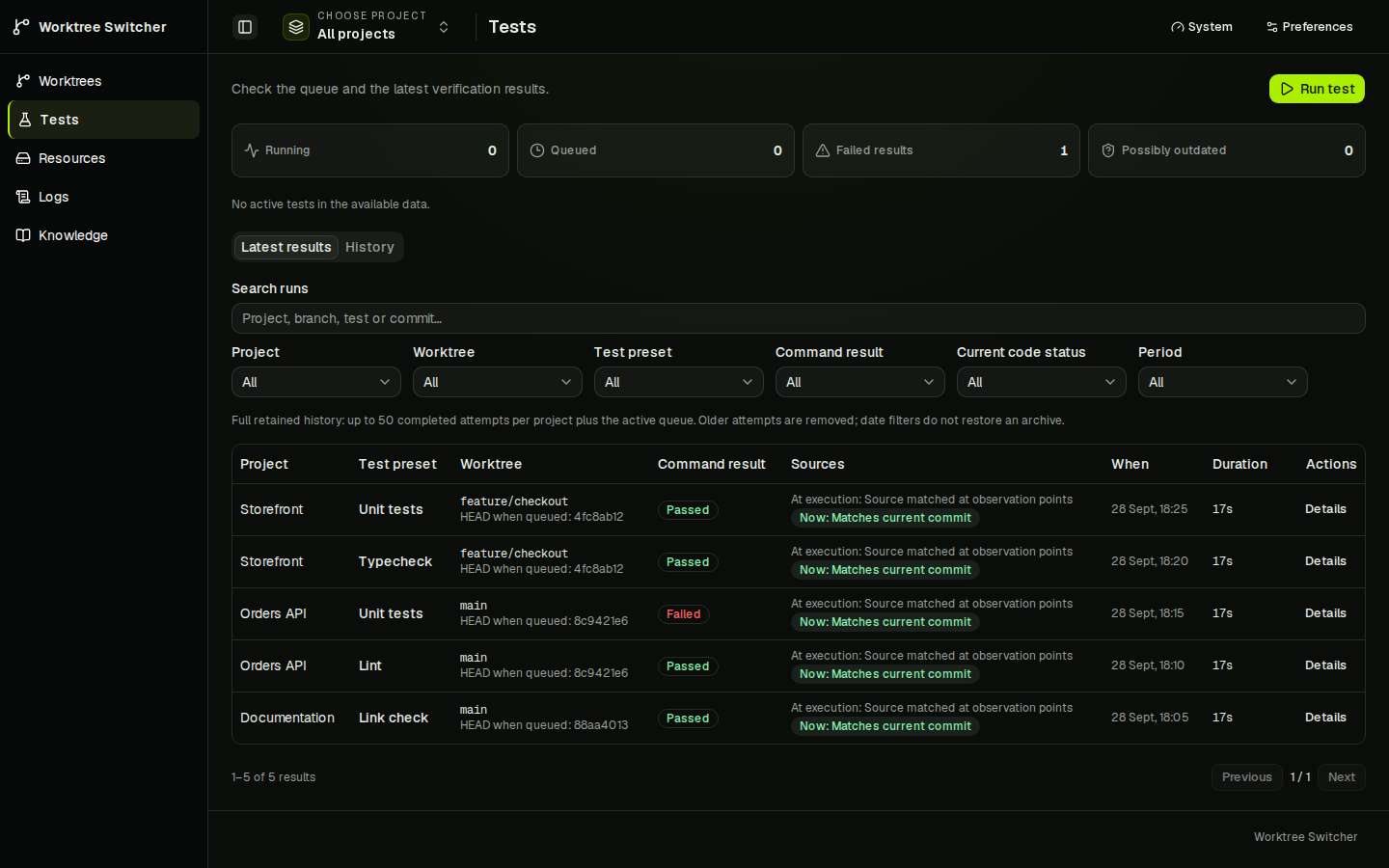
A passing command and a result that applies to your current code are separate things. Tests shows the command outcome, Git observations around the run, current relevance and output. Dirty or changed source stays visible.

Local checks use the worktree's files, including uncommitted edits; they are not immutable snapshots.

Tests dashboard with counters for running, queued, failed and possibly outdated results, and a table of runs showing project, preset, worktree with the HEAD commit when queued, pass or fail result, and whether the source still matches the current commit.
Tests view: command result and source evidence for each run.

Knowledge shared by humans and agents

Knowledge gives humans and agents the same project records through the dashboard, MCP and CLI. It works without a running dev server or a Git repository.

  • Backlog: capture a task, set its priority and status, and link the discussion that led to it.
  • Discussions: keep findings, questions and replies together. Turn an agreed next step into a task.
  • Memory: retain decisions and notes with sources, revision history and explicit approval.

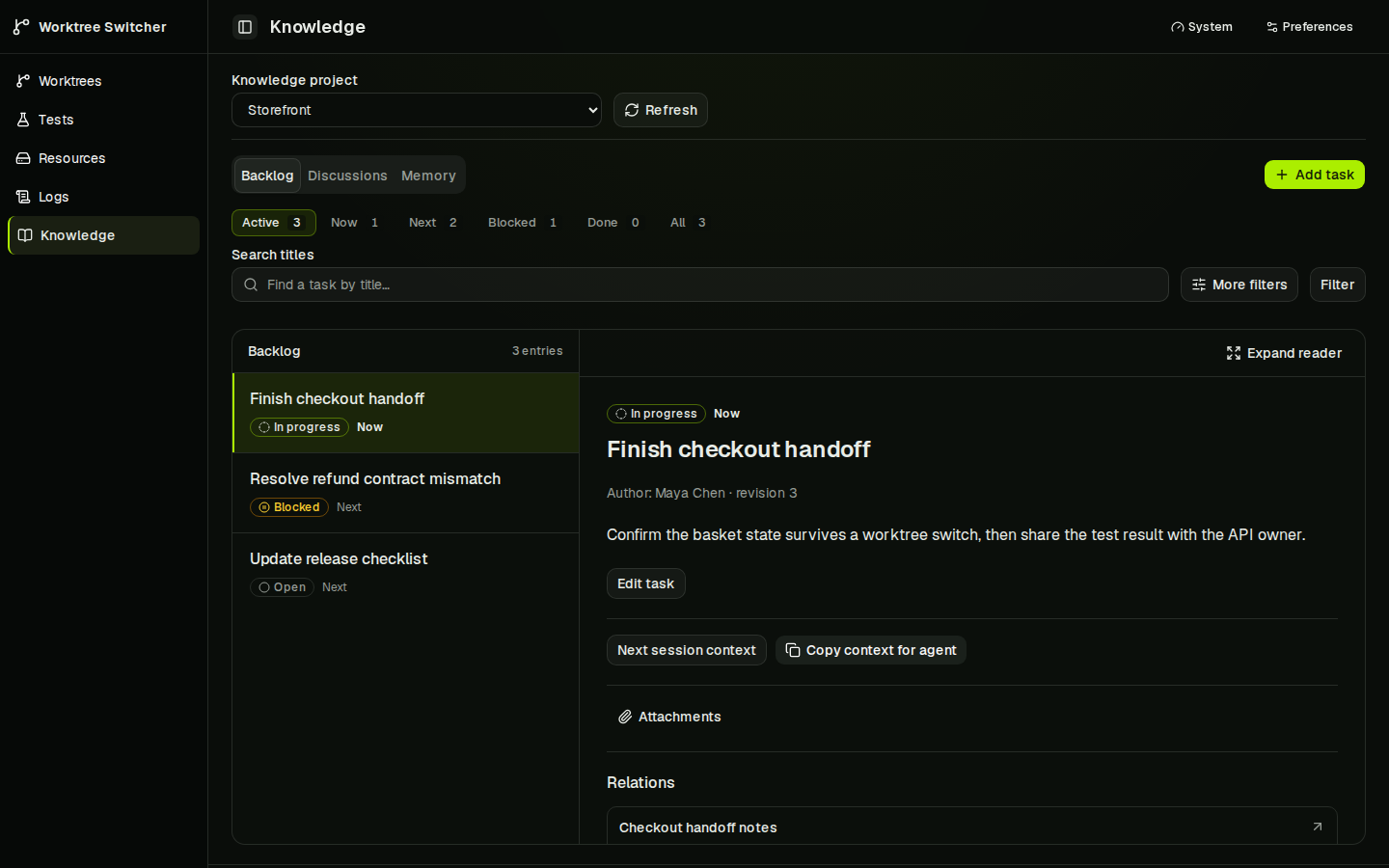
A task's Next session context collects linked memory and source revisions for a handoff; you can export it as Markdown or JSON.

Knowledge backlog for an example Storefront project: a list of three tasks with status and priority, and the selected task Finish checkout handoff open in a reader with its author, revision, description, Next session context button, attachments and related records.
Knowledge backlog with a task, its context and related records.

Honest status

Linux x64
Verified. The local controller is in daily use by its author.
macOS
Unverified. Process metrics are unavailable and the service lifecycle still needs real-host verification.
Windows
Unverified. Process-tree and service management are unsupported.
Scope
Local-first and single-user: one controller on your machine, state in SQLite, no hosted account.

The CLI and data model may change. Worktree Control executes project code under your OS user; use trusted repositories and clients. Process ownership and preset validation are not a sandbox.

Install

The first public npm release is in preparation. Until it is published, follow the source build quick start or the verified tarball trial guide.

Requires Node.js 22 or newer and Git. Install the package, then start the controller on loopback:

npm install -g worktree-control
worktree-control start --host 127.0.0.1

The first start prints the installation token once. Save it in a password manager; it is not shown again, and worktree-control auth token rotate issues a new one. Open the printed address and sign in with that token. In scripts and CI, where the token is not printed, run worktree-control auth token generate first.

The command is also available as wtc. The dashboard listens on port 47831 and MCP on loopback port 47832. To run it in the background, use worktree-control service install --host 127.0.0.1 instead of start; it prints the token the same way. See the user-service guide.

The worktree-switcher package on npm is an unrelated project.

Connect your coding agent

Keep your existing MCP-capable editor or coding client. Print the connection configuration with:

worktree-control config mcp

In token mode it prints a bearer-token placeholder. Supply the token privately in your client's configuration and do not commit it. The bundled agent skill teaches the claim, switch and test workflow.